
Suki Liu
About
Resume


Palantir Design Challenge
This was a design challenge from Palantir, one of the most technically demanding and systems-oriented companies in the industry. The brief asked to design a mean time logistics system for a kitchen operation team. Rather than jumping straight to an interface, I started by understanding the operational system and its failure points before designing anything.
Project
•
Design Challenge
Methods
Systems Thinking / Operational Flow Mapping / Data Modeling / UX Design / Hardware Specification
The Challenge
Food is prepared in a kitchen by chefs, placed on carts, and transported to a cafeteria in a separate building by a serving team. In the cafeteria, the serving team places food in a buffet line for employees. Three entrees are offered during a two-hour lunch window. The first 10 minutes of demand data is unreliable.
The system needed to do two things: give the serving team the information to maintain an uninterrupted supply of fresh food in the buffet line, and give chefs the information to estimate how much food to cook and when.
Before designing any interface, I reframed the brief into a clearer design problem:
How might we give chefs and servers the right information at the right time so food is always fresh, never runs out, and never gets wasted?
Defining the Problem
Mapping the Current State
The operational flow looks straightforward on paper:
Chef cooks → food placed on cart → server transports cart to cafeteria → server places food in buffet → employees take food → buffet runs low → server requests more → chef cooks again


System usability scale in English and Traditional Chinese via Google form
But every handoff in that chain is a potential failure point. The core problem is communication lag. By the time a server notices the buffet is running low and walks back to the kitchen to tell the chef, it is already too late. The chef then needs time to cook, and the server needs time to transport. The buffet runs out before the next batch arrives.
Identifying the Failure Points
Three failure points drive every problem in this system.
No real-time visibility into buffet levels
Servers check the buffet visually and estimate when to restock. There is no objective signal — restocking decisions rely entirely on human judgment, which is inconsistent and often too late.
No predictive signal for chefs
Chefs have no way to know how fast food is being consumed in the cafeteria. They cook based on estimates and past experience, not real-time data. This leads to either running out or overcooking and wasting food.
Communication between two buildings is slow
The kitchen and cafeteria are in separate buildings. Every communication between the serving team and the kitchen requires a physical trip or a phone call, both of which introduce delays that compound over a two-hour service window.

The Two Users
Chefs need to know:
How much of each entree is currently in the buffet, how fast each entree is being consumed, when to start cooking the next batch, and how much to cook based on remaining lunch time and current demand.
Servers need to know:
Which entree is running low and needs restocking, which cart is ready for pickup in the kitchen, how long until the next batch is ready, and which trip to prioritize if multiple entrees need restocking simultaneously.
The Data Model
Before designing any interface, I defined the four real-time data inputs the system needs to function.
Buffet level sensors
Weight sensors placed under each buffet tray measure food levels continuously. This replaces visual estimation with objective real-time data, eliminating the most common source of late restocking decisions.

Consumption rate calculation
The system tracks how fast each tray empties and calculates a projected empty time for each entree. This gives chefs and servers a countdown rather than a guess.
Cart status tracking
Each cart has a simple three-state status: being loaded in the kitchen, in transit, arrived in the cafeteria. This gives servers real-time visibility into what is coming without requiring a trip back to the kitchen or a phone call.
Cook time per entree
Each entree has a known preparation time stored in the system. Combined with the projected empty time and transit time between buildings, the system calculates exactly when a chef needs to start cooking so the next batch arrives just before the buffet runs out.
System usability scale in English and Traditional Chinese via Google form
The Design
With the data model defined, the interface design for each user followed directly from their specific information needs.
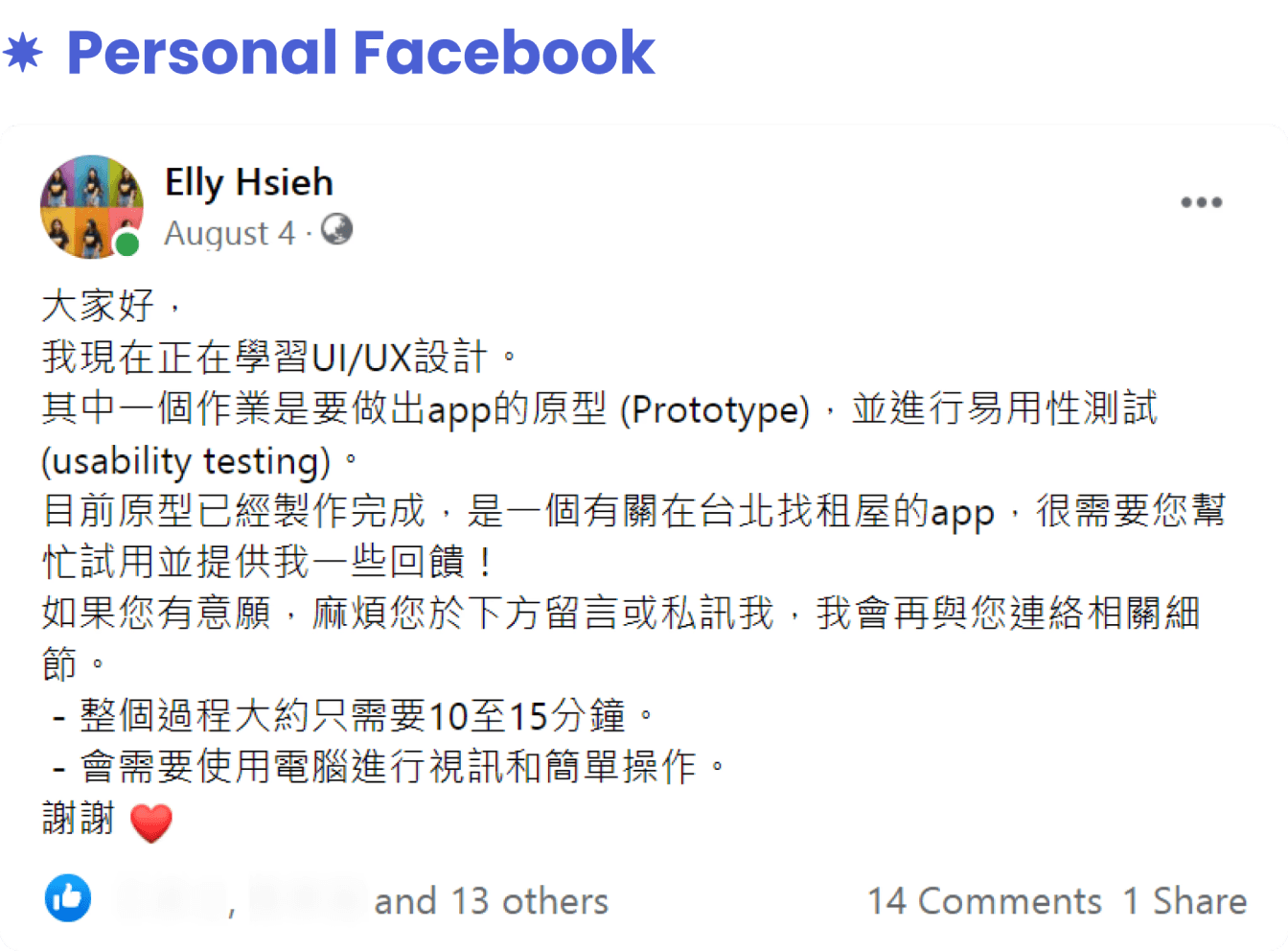

Recruitment post on my personal Facebook and Instagram
Chef Interface · Kitchen Display
The chef interface is a large wall-mounted display visible from the cooking station. It shows three things only: current buffet level for each entree, a countdown to when each entree needs to be ready, and a recommended batch size based on remaining lunch time and current consumption rate.
The chef does not need to make decisions. The screen tells them exactly what to do: start cooking entree 2 now, make 40 portions, it needs to be ready in 18 minutes.
Recruitment post on my personal Facebook and Instagram
Hardware specification
Large format display mounted at eye level above the cooking station, visible from 10 feet away. No touch interaction required during cooking. A single foot pedal or voice confirmation allows the chef to acknowledge an instruction without stopping work. This keeps the chef's hands and attention on the food.
Recruitment post on my personal Facebook and Instagram
Server Interface · Handheld Device
The server interface is a simple mobile screen showing which entree needs restocking next and estimated time until empty, cart status showing which carts are ready for pickup in the kitchen, and a suggested trip priority if two entrees are running low simultaneously.
A one-tap confirmation when a cart arrives at the cafeteria updates the system automatically, keeping cart status accurate without adding administrative burden to the serving team.
Recruitment post on my personal Facebook and Instagram
Hardware specification
Ruggedized handheld device that fits in a pocket, with large tap targets designed for use with gloves. An optional wrist-mounted display allows servers to check status hands-free while pushing a cart between buildings.
Recruitment post on my personal Facebook and Instagram
Handling Edge Cases
The Unreliable First 10 Minutes
The brief specifies that the first 10 minutes of demand data is unreliable. During this window, the system runs on a pre-loaded demand forecast based on historical data from previous lunches — day of week, seasonal patterns, and total employee headcount for that day. The system switches automatically to real-time data once the consumption pattern stabilizes, typically around the 10 to 12 minute mark.
This means chefs and servers receive actionable guidance from the moment service begins, not just after the system has enough data to be confident.

Photos during the testing sessions and how I utilizing all the tools
Transit Time Buffer
The system accounts for the transit time between buildings as a fixed variable. If it takes 5 minutes to transport a cart from the kitchen to the cafeteria, the system triggers the chef 5 minutes earlier than the projected empty time. This buffer is built into the algorithm, not left to human judgment, eliminating the most common cause of buffet gaps.
Challenges & Compromises
The hardest design decision was the hardware specification. Specifying weight sensors, wall-mounted displays, and wrist-mounted devices adds significant implementation cost and complexity. A simpler version of this system could work with manual input — servers tapping a button when a tray runs low, chefs manually logging when a batch is ready.
The tradeoff is accuracy and speed. Manual input introduces the same human judgment and communication lag that the sensor-based system is designed to eliminate. For a high-volume operation serving hundreds of employees in a two-hour window, the cost of hardware is justified by the reduction in waste and service gaps. For a smaller operation, a manual input version with the same interface logic would be the right starting point.
Reflection & Learnings
This challenge pushed me to think like a systems designer rather than an interface designer. The most important work happened before any screen was designed — mapping the operational flow, identifying the failure points, and defining the data model. The interface design followed naturally once the system logic was clear.
The biggest lesson was that the best UX for an operations problem is often no decision at all. Every judgment call removed from the chef and the server — when to cook, how much to cook, which trip to prioritize — is a reduction in cognitive load during a high-pressure, time-constrained environment. The goal was not a dashboard to monitor. It was a system that tells you exactly what to do next.


